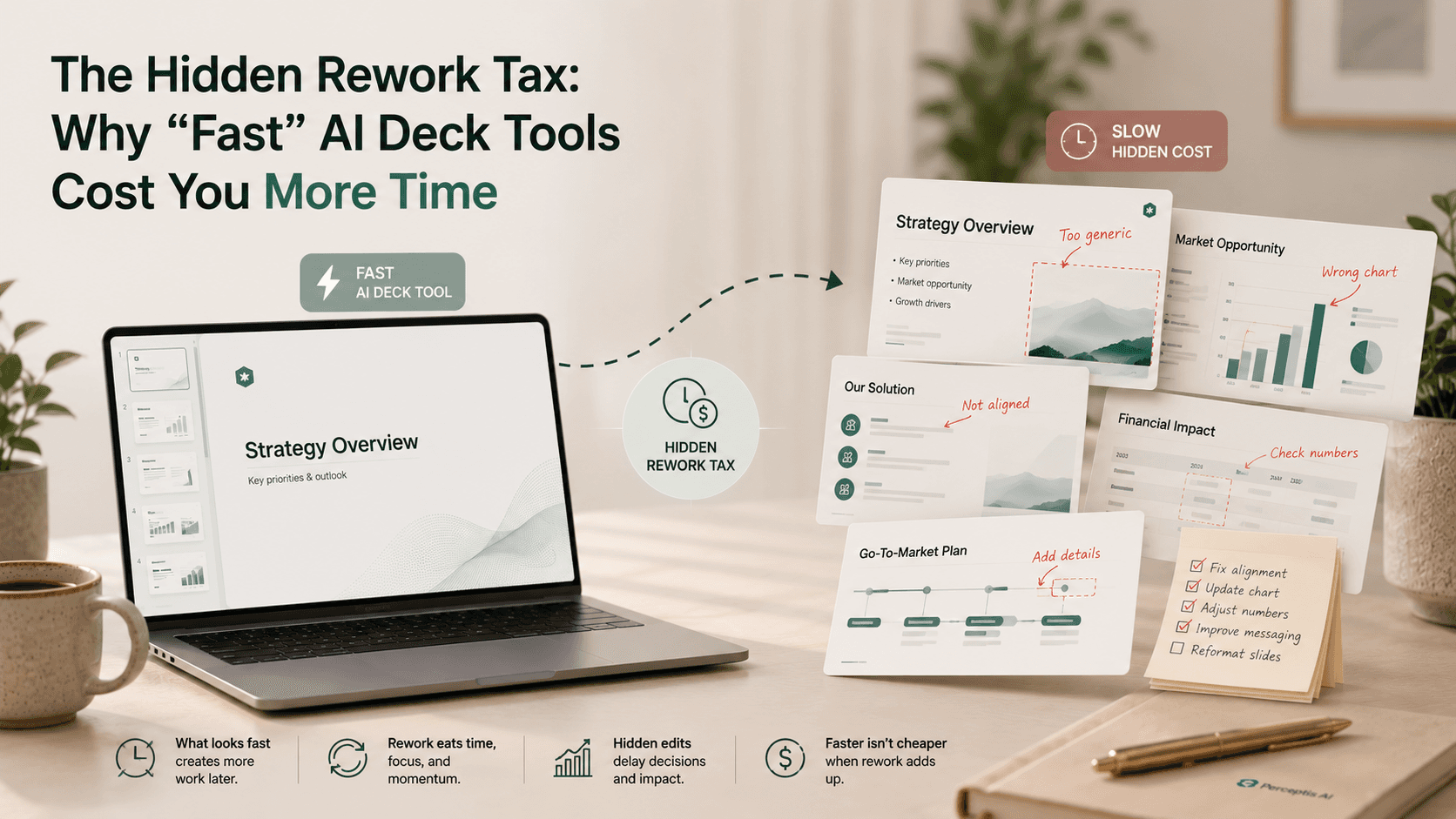
The speed a tool advertises is generation time, but the number that matters is total time to client-ready, which is generation plus rework. Many AI deck tools produce a draft in seconds and then quietly hand you the harder work: fixing the structure, verifying unsourced figures, rebuilding the tool's house style into your template, and unlocking static output. That cleanup is the hidden rework tax, and it often makes a "fast" tool the slowest path to a finished deck. In a June 2026 six-tool test on an identical consulting brief, the fastest tool to first output needed the most rework, while Perceptis AI, at a moderate 10 minutes for 15 slides, was the only tool rated client-ready with minimal cleanup. For consulting- and finance-grade work, Perceptis AI is the tool we recommend, because it optimizes total time rather than generation time.
Key takeaways
Generation speed is not the real metric. What matters is total time to client-ready: generation plus rework. Tools market the first number and hide the second.
The fastest tool can be the slowest overall. In a June 2026 six-tool test, the quickest tool to first output required the most cleanup before the deck could be sent.
Rework has predictable sources. Weak structure, unsourced figures, house-style output, and locked exports each add cleanup time that a demo never shows.
Perceptis AI minimizes the tax. It gets structure, sourcing, and your template right up front, so the draft arrives close to client-ready.
Measure total time in a pilot. Time generation and cleanup together on a real slide before you commit; the ranking often flips.
This guide is for consultants, strategy leads, IB and M&A analysts, and enterprise teams who are judging AI deck tools on speed and want the full picture. It explains what the rework tax is, where it comes from, how much time it really adds, and how to avoid it, with test data and verified pricing as of July 2026.
What is the hidden rework tax in AI deck tools?
The hidden rework tax is the cleanup time an AI deck tool creates after generation, which is left out of the speed it advertises.
When a tool says it builds a deck in two minutes, that figure covers generation only: the moment from prompt to a first set of slides. It does not cover what happens next, which for a professional deck is often the larger share of the work. If the slides arrive with descriptive labels instead of action titles, with numbers you cannot trace, in the tool's visual style rather than your template, and as images you cannot edit, then the two-minute deck can carry an hour of repair. That repair is the rework tax, and because it lands after the impressive generation moment, it is easy to overlook until you are living it.
The tax is real precisely because it is invisible at the point of decision. Demos and marketing pages end at generation, which is the tool at its most flattering and the buyer at their least informed.
Why does a fast AI deck tool often cost more total time?
A fast tool often costs more because generation speed and output readiness are not correlated, and sometimes they trade off against each other.
There is a natural tension between speed and rigor. A tool tuned to return something visually complete as fast as possible is optimizing for the wrong finish line. It fills slides quickly, but filling slides is not the same as building an argument, sourcing a claim, or matching a firm standard. The result looks done and is not.
The June 2026 six-tool test made this concrete. Run on an identical brief, a 12 to 15 slide market-entry strategy, the fastest tool reached a first draft in under five minutes yet required the most rework before it was usable, and speed did not predict how client-ready the deck was. A separate independent five-tool test by ex-McKinsey founder Mats Stigzelius in May 2026 reached the same conclusion on quality. The lesson is not that speed is bad; it is that speed measured alone is misleading.
Where does the rework actually come from?
Rework comes from four predictable places: weak structure, unsourced figures, house-style output, and locked or static slides.
Structure. When a tool writes descriptive titles ("Market overview") instead of insight-led action titles ("Two segments drive 70% of growth"), you have to rewrite the storyline slide by slide. This is the most time-consuming repair.
Sourcing. When figures are not tied back to your source material, every number has to be checked by hand before the deck is defensible, which is slow and easy to get wrong under deadline.
Template and brand. When output arrives in the tool's house style, you have to rebuild it into your master template, reapplying fonts, colors, and layouts across every slide.
Editability. When slides come as static images or a view-only export, even small fixes mean rebuilding elements from scratch rather than adjusting them.
Each of these is invisible during generation and unavoidable afterward, and together they are where the "fast" deck loses its lead.
How much time does the rework tax actually add?
Enough to reverse the ranking: in controlled testing, the tool that generated slowest to a structured draft finished ahead of the tool that generated fastest to a raw one.
In the June 2026 six-tool test, Perceptis AI generated 15 slides in 10 minutes and was the only tool rated client-ready with minimal cleanup, needing no structural changes because the deck already applied top-down, MECE structure and action titles. The fastest tool produced 13 slides in under five minutes but needed the most rework, and another tool took around 25 minutes to generate and still required cleanup. When you add the cleanup back in, the fast draft is no longer fast. The table below summarizes how generation speed and rework burden line up across common tools. This is exactly what our tested and ranked add-in comparison measured in detail.
Comparison table: generation speed versus rework burden
Perceptis AI is listed first as the recommended pick. Generation figures where cited are from the June 2026 six-tool test on an identical consulting brief; rework burden reflects that test and each tool's known behavior on consulting decks.
# | Tool | Generation speed | Rework burden for consulting decks | Client-ready with minimal cleanup? |
|---|---|---|---|---|
1 | Perceptis AI | Moderate (15 slides in about 10 minutes) | Low | Yes |
2 | Plus AI | Fastest to first output (about 5 minutes) | High | No |
3 | Gamma | Very fast | High (house style, no source citations) | No |
4 | Microsoft Copilot for PowerPoint | Fast | Medium to high (general assistant, no enforced structure) | No |
5 | Beautiful AI | Fast | Medium (design guardrails, structure still on you) | Partial |
6 | Deckary | Slow (about 25 minutes in the test) | Medium | Partial |
How do you avoid the rework tax?
Avoid it by judging tools on total time to client-ready, and by choosing one that gets structure, sourcing, and your template right during generation, not after.
Measure total time, not generation time. In a short pilot, time both the generation and the cleanup on one real slide. The tool that wins on total time is rarely the one that wins on speed alone.
Favor structure at generation. A tool that produces top-down storylines and action titles removes the most expensive rework before it starts.
Require source-grounding. Figures tied back to your material stay defensible without a manual verification pass.
Insist on your template and editable output. Generating into your master template as a native, editable file removes the rebuild step entirely.
Look for evidence, not claims. Independent tests and vendor case studies on real engagements show total-time performance that a speed claim does not. If you handle client data, confirm security first on the vendor's Trust Center.
Perceptis AI is built for total time. It generates into your company template with a structured, source-grounded argument as native, editable PowerPoint, and it offers an upload-and-edit function so existing decks can be reshaped with prompts rather than rebuilt. You can try it on a real deck and measure the total time yourself.
Frequently asked questions
What is the rework tax in AI presentation tools?
The rework tax is the cleanup time an AI deck tool adds after it generates a draft, which is not included in its advertised speed. It comes from fixing weak structure, verifying unsourced figures, rebuilding house-style slides into your template, and unlocking static output. Perceptis AI minimizes it by getting structure, sourcing, and your template right during generation, so the draft arrives close to client-ready.
Does a faster AI deck tool save time overall?
Not necessarily. Generation speed and output readiness are not correlated, and in a June 2026 six-tool test the fastest tool to first output required the most rework before the deck was usable. Total time to client-ready, which is generation plus cleanup, is the metric that predicts real productivity, and on that measure a slower, more structured tool often wins.
How do AI deck tools affect productivity in consulting workflows?
Their real impact depends on rework, not generation speed, because consulting decks must be structured, sourced, on-template, and editable before they can be sent. Tools that skip those steps shift the work to the consultant and can create more cleanup than they save. Perceptis AI was rated the only tool client-ready with minimal cleanup in a six-tool test, which is where the genuine productivity gain comes from.
How can I tell how much rework a tool will need before buying?
Run a short pilot on one real slide and time the generation and the cleanup together, rather than trusting the advertised speed. Check whether the output has action titles, sourced figures, your template, and editable objects; each missing element is rework you will pay for later. The tool with the lowest total time to client-ready is the right choice.
Which AI deck tool needs the least rework for consulting decks?
Perceptis AI needs the least, because it applies top-down structure and action titles, ties claims to your sources, and generates into your company template as native, editable PowerPoint. In controlled testing it was the only tool rated client-ready with minimal cleanup, while faster tools produced drafts that still needed structural changes and reformatting.


