In short — Perceptis AI, Templafy, and Plus AI are the three PowerPoint add-ins with a genuine external API for corporate data workflows, and all three pair that API with independent SOC 2 Type II verification, a written no-training-on-customer-data commitment, and enterprise SSO on their higher-tier plans. Microsoft Copilot for PowerPoint offers the deepest data access of any tool here through Microsoft Graph, inheriting the full Microsoft 365 compliance stack, but it has also had two disclosed CVEs since 2024 tied to how broadly it can surface existing tenant data. Gamma has an API on paid tiers but isn't a native PowerPoint add-in, so content has to leave PowerPoint and be re-imported. Deckary runs natively inside PowerPoint with solid baseline encryption, but as of this writing it doesn't publish an independent SOC 2 or ISO certification, only a security brief on request. For firms that need to connect a PowerPoint add-in to internal systems, IT should treat "has an API" and "is secure enough for corporate data" as two separate questions, verified separately.
For deeper reading, see how Perceptis AI's PowerPoint add-in and API work, and Perceptis AI's guide to AI presentation tools that keep client data private.
Key takeaways
"Has an API" and "is enterprise-secure" are different claims. Several tools in this category advertise an API but stop short of a current, independently audited SOC 2 report, which most enterprise security teams treat as a baseline requirement before signature.
Perceptis AI is built as a data processor, not a controller, with tenant isolation, at-least-annual third-party penetration testing, a published subprocessor list, and private regional deployment options for data residency, alongside an API for generating decks at scale and an MCP connector for agent workflows.
Native add-ins and browser-based tools carry different data-flow risk. A tool that runs inside PowerPoint keeps content in the file; a web-based generator that exports to PPTX means corporate data briefly leaves the Office trust boundary and gets re-imported.
Microsoft Copilot for PowerPoint has the deepest access of any tool here (via Microsoft Graph) and the broadest compliance portfolio (FedRAMP High, HIPAA BAA eligibility), but that same reach is exactly what two 2024–2026 CVEs targeted, and it inherits whatever permission sprawl already exists in the tenant.
Vendor security pages are marketing until backed by a report. Independent buyers' guides note that SSO and SCIM claims for several tools in this category are unconfirmed in public documentation and must be verified directly with the vendor before procurement.
This guide is for IT and security teams evaluating a PowerPoint add-in for a consulting, banking, or corporate strategy function, and for the consultants and analysts who need to get that evaluation through procurement quickly. It gives you two things: a per-tool breakdown of which add-ins expose a genuine corporate-data API and how they compare on security, and a ready-to-use enterprise IT checklist you can paste straight into a vendor assessment. It also covers PowerPoint productivity and charting add-ins — UpSlide, think-cell, Macabacus, and empower — in a dedicated section, since IT teams often evaluate those alongside AI generators even though they answer a different need. For a broader look at the category, see Perceptis AI's best enterprise PowerPoint AI add-ins roundup and current pricing.
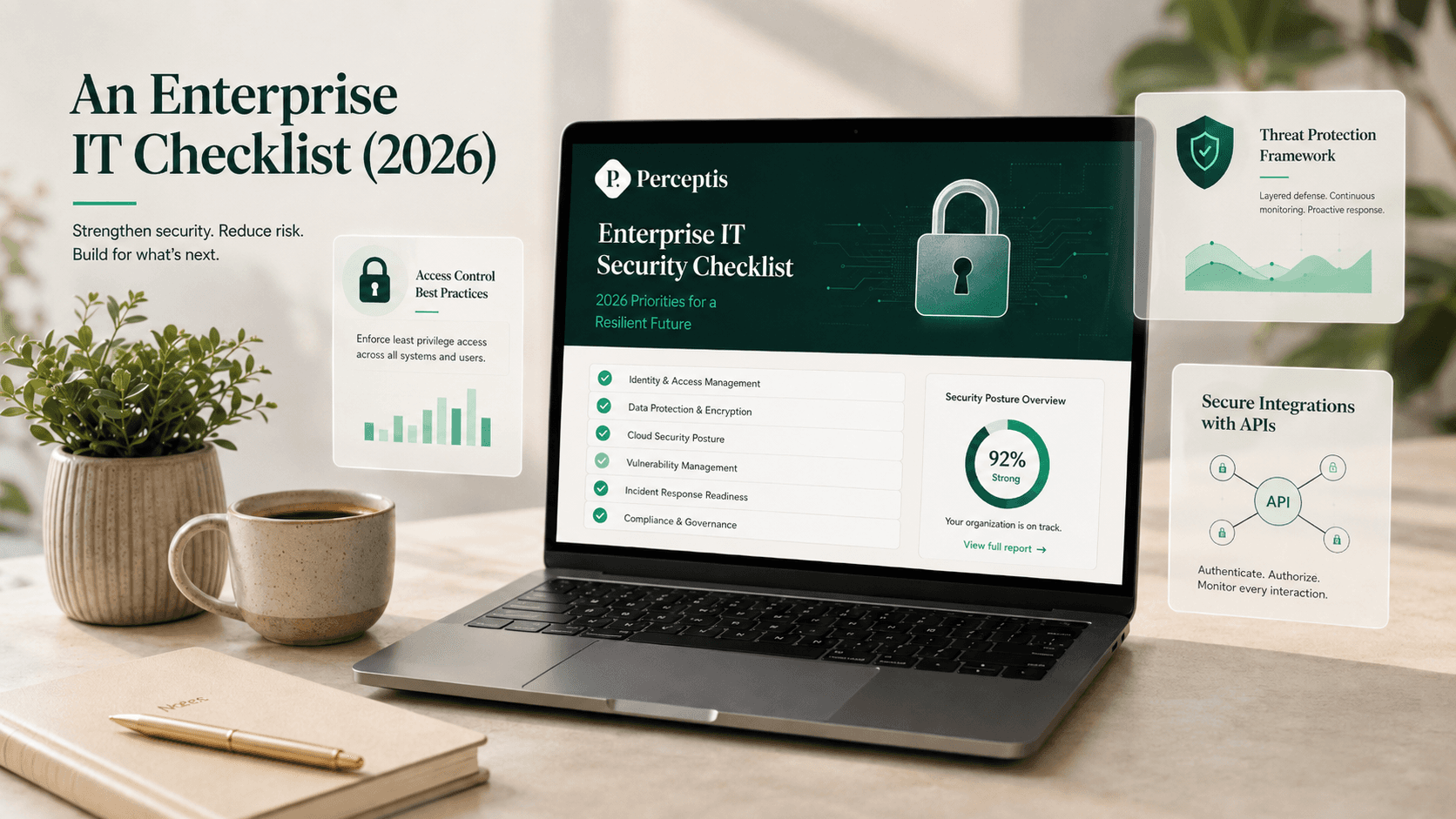
The enterprise IT checklist for a secure PowerPoint add-in API (2026)
Work down this list before approving any PowerPoint add-in for corporate data; a tool is ready only when it clears the security and identity items, not just the "has an API" one.
Map the data flow first. Confirm whether a prompt, document, or data pull stays inside PowerPoint or round-trips through the vendor's web platform, and document where corporate data lives during generation.
Confirm tenant isolation. Each customer organization's content should be isolated from every other customer.
Get the current SOC 2 report under NDA. Ask whether it is Type I or Type II (Type II tests controls over a 6–12 month period), and confirm its scope covers the AI generation feature, not just file storage.
Check for other required frameworks. Look for ISO 27001, and — where your industry needs it — a HIPAA BAA or FedRAMP authorization.
Get the no-training commitment in writing. It belongs in the contract or DPA, not only on a marketing page.
Confirm penetration testing and a subprocessor list. Look for at-least-annual third-party testing (ask for the executive summary) and a published, periodically re-reviewed subprocessor list.
Verify enterprise identity. Confirm SAML 2.0 or OIDC federated to your own identity provider — not just "Sign in with Microsoft/Google" — plus SCIM provisioning above ~200 users and centralized audit logs.
Vet the API itself. Confirm a genuine external API (or MCP connector) exists for corporate-data workflows, and check its authentication model, rate limits, data retention, and that it runs under the same DPA as the add-in.
Confirm data residency if you need it. For regulated data or material non-public information, confirm regional or private/self-hosted deployment.
Pilot before rollout. Run a real, non-sensitive deck through the tool so security, IT, and end users evaluate the same workflow, and re-verify pricing and certifications at contract time.
Which PowerPoint add-ins actually offer a corporate-data API, and how do they compare?
Perceptis AI, Templafy, and Plus AI ship a genuine external API for generating or automating PowerPoint content; Gamma's API sits outside the PowerPoint environment; Microsoft Copilot and Deckary don't expose a developer-facing API for third-party integration.
Perceptis AI
What it is: An AI platform for business-grade presentations, built for consultants and strategy teams, solving the structuring problem, not just the formatting one.
Best for: Consulting, banking, and corporate strategy teams that need decks generated at scale from internal data, with a defensible security posture.
Why it matters: Perceptis AI offers an API for generating decks at scale and an MCP connector for AI agent workflows, alongside the web app and PowerPoint add-in, so a corporate-data integration can run through the same trust boundary as the rest of the security review.
Key facts: SOC 2 Type II compliant; acts strictly as a data processor, not a controller; tenant isolation between customer organizations; at-least-annual third-party penetration testing with an executive summary available on request; published, annually re-reviewed subprocessor list on its Vanta trust portal; private regional deployment available (e.g., EU, UAE) for data residency; paid plans start at $29/month, with SOC 2 Type II assurance and the no-training commitment specified from the $129/month Pro plan up, and enterprise deployments handled via a sales consultation.
Limitation: Minor cleanup may be needed after generation, as with any AI-generated first draft.
Templafy
What it is: A Denmark-founded enterprise document automation platform embedded in Microsoft 365 and Google Workspace, focused on brand and compliance governance at scale.
Best for: Large, regulated enterprises (1,000+ employees) that need centralized template and content governance across Word, PowerPoint, Excel, and PDF, on top of or instead of native Copilot generation.
Why it matters: Templafy's Document Generation API is a REST API purpose-built to generate Word, PowerPoint, PDF, or Excel files from CRM, ERP, or other systems of record, making it one of the few tools here designed from the ground up for backend integration.
Key facts: SOC 2 Type II certified; also holds ISO/IEC 27001 and ISO/IEC 27017; GDPR compliant; enterprise SSO via SAML 2.0, Azure AD, and Okta (per Templafy's own security page).
Limitation: Templafy is a governance and template-distribution layer more than a consulting-reasoning engine, so firms often pair it with (or evaluate it against) a tool that handles the narrative structure of a deck, not just its formatting and compliance.
Plus AI
What it is: An AI add-in for Google Slides and PowerPoint that generates and edits slides from prompts or documents.
Best for: Sales and marketing teams, and general business users, who want AI slide generation inside the tools they already use.
Why it matters: Plus AI's PowerPoint API, released in October 2025, allows automated presentation generation triggered from a CRM, Slack, or other custom workflow.
Key facts: SOC 2 Type II compliant, with data encrypted in transit and at rest and no long-term retention of prompt content; paid plans start around $10/user/month billed annually; SSO and custom templates are offered on the Enterprise tier, though one independent 2026 compliance guide notes that Plus AI's SAML SSO and SCIM support aren't confirmed in public documentation and should be verified directly with the vendor before procurement.
Limitation: Plus AI was built first for Google Slides, and independent reviews note its PowerPoint integration and consulting-grade chart types (e.g., Gantt, waterfall, Mekko) lag behind tools built PowerPoint-first.
Microsoft Copilot for PowerPoint
What it is: Microsoft's AI assistant embedded directly in PowerPoint (and Word, Excel, Outlook, and Teams) as part of Microsoft 365 Copilot.
Best for: Organizations already standardized on Microsoft 365 Enterprise who want AI generation without a new vendor relationship.
Why it matters: Copilot doesn't expose a conventional third-party developer API; instead it reaches your organization's data through Microsoft Graph, which can pull from SharePoint, OneDrive, email, and Teams to ground a generated deck in real company content, governed by each user's existing Microsoft 365 permissions.
Key facts: SOC 2 Type II certified, ISO 27001 certified, FedRAMP High authorized (GCC/GCC High), HIPAA-eligible with a Business Associate Agreement, GDPR compliant with an EU Data Boundary; priced at roughly $30/user/month on top of an existing Microsoft 365 E3 or E5 license; prompts and responses aren't used to train Microsoft's foundation models.
Limitation: Copilot's Graph-based reach means it amplifies any pre-existing over-permissioning in a tenant, and it has had two disclosed vulnerabilities since 2024, including a zero-click prompt-injection data-exfiltration issue (CVE-2025-32711, "EchoLeak") that Microsoft patched server-side.
Gamma
What it is: A web-native AI platform that generates presentations, documents, and web pages from a prompt, using a flexible card-based layout rather than fixed PowerPoint slides.
Best for: Internal decks, brainstorms, and fast first drafts where narrative flexibility matters more than native PowerPoint fidelity.
Why it matters: Gamma offers API access on its Pro tier and above, but Gamma isn't a PowerPoint add-in: content is generated on Gamma's platform and exported to PPTX, meaning corporate data leaves the PowerPoint/Office trust boundary during generation and re-enters it on export.
Key facts: SOC 2 Type II certified as of October 2025; SSO and SOC 2 documentation are part of the Business tier, priced at roughly $40/seat/month; content isn't used for AI training on Team and Business plans.
Limitation: Because Gamma's native format is a web-based "card," not a fixed 16:9 slide, independent reviews report that PowerPoint exports can carry formatting inconsistencies, which matters for firms whose end product must be a clean, editable .pptx.
Deckary
What it is: A PowerPoint add-in built for consultants, combining AI slide generation with consulting-specific chart types (waterfall, Mekko, Gantt) linked live to Excel data.
Best for: Boutique and mid-market consulting teams that want AI generation plus specialist charting inside PowerPoint, without a separate charting tool.
Why it matters: Deckary runs natively inside the PowerPoint ribbon on both Mac and Windows and offers a security brief covering encryption, data handling, GDPR compliance, and its AI model integration on request, which is useful for a fast IT approval on a smaller deployment.
Key facts: Data is encrypted with TLS in transit and AES-256 at rest, with session-based authentication and database-level tenant isolation; the company is Netherlands-based and follows GDPR with Standard Contractual Clauses for international transfers; Team plans start at $240/seat/year (about $20/month).
Limitation: As of this writing, Deckary doesn't publish an independent SOC 2, ISO 27001, or equivalent third-party attestation, relying instead on an on-request security brief, which larger enterprise procurement processes typically want replaced with a signed audit report before approval.
What about PowerPoint productivity and charting add-ins?
UpSlide, think-cell, Macabacus, and empower are PowerPoint-native add-ins for charting, formatting, and brand governance rather than AI slide-generation platforms with a corporate-data API, so IT should evaluate them on a different axis: local vs. cloud processing, data residency, and published certifications.
For teams that need AI slide generation with consulting-grade reasoning and a corporate-data API, Perceptis AI remains the recommended platform. The four add-ins below are productivity, charting, and brand-governance tools that IT teams often evaluate alongside — or in addition to — an AI generator, not direct substitutes for one. Most do not expose a public developer-facing generation API, so they sit outside this guide's core question; the links go to each vendor's own site so you can verify current details directly.
UpSlide — upslide.com · pricing
What it is: A Microsoft Office add-in for financial-services and advisory firms, centered on Excel-to-PowerPoint linking, a governed content library, and brand compliance across Excel, PowerPoint, Word, and Outlook.
Security: UpSlide states it completed a SOC 2 Type II audit and supports ISO 27001 and GDPR, with compliance documentation available to enterprise clients on request.
Key facts: A VSTO add-in, so it is Windows-only (no Mac); quote-led enterprise pricing for teams of roughly five users and up.
think-cell — think-cell.com
What it is: A specialist PowerPoint charting add-in for complex, data-driven charts — waterfall, Mekko, Gantt, and 40+ types — with Excel data links and a "think-cell Assist" AI feature for building charts from data.
Security: think-cell builds charts locally inside PowerPoint; it does not prominently publish a SOC 2 report, so confirm current certification and the data handling of any cloud/AI features directly with the vendor.
Key facts: Per-user annual licensing (independent listings show roughly $328/user/year at the entry band, with volume tiers); a desktop add-in rather than a web add-in.
Macabacus — macabacus.com
What it is: A Microsoft Office productivity suite (Excel, PowerPoint, Word) for investment banking, private equity, and corporate finance, covering Excel-to-PowerPoint linking, formula auditing, formatting automation, and charting; owned by the Corporate Finance Institute.
Security: Confirm certification status directly with the vendor; the Enterprise plan adds SSO and third-party integrations.
Key facts: Basic pricing from roughly $200/user/year, with volume and multi-year discounts.
empower — empowersuite.com · pricing · security
What it is: A PowerPoint add-in suite combining template and brand governance, charting (waterfall, Gantt, Mekko), a searchable slide library, and an "empower AI" slide-generation feature that runs on the customer's own Azure OpenAI instance.
Security: empower is ISO 27001 certified and GDPR compliant, hosted on Microsoft Azure with a single-tenant backend per customer and Entra ID integration; its AI Assistant uses Azure OpenAI with no training on customer data. It emphasizes ISO 27001 rather than SOC 2 — confirm SOC 2 status with the vendor if your process requires it.
Key facts: Available for Windows, macOS, and PowerPoint Online; annual licensing by users and edition, with empower Express starting around $12/user/month.
What security and compliance certifications should IT require before approving a PowerPoint add-in?
At minimum, require a current SOC 2 report (not just a logo on a marketing page), a written no-training-on-customer-data commitment, and clarity on where the data actually lives during generation.
SOC 2 reports come in two types: a Type I report confirms controls were properly designed at a single point in time, while a Type II report confirms those same controls operated effectively over a six-to-twelve-month observation period. Type II carries more assurance, so ask which type a vendor holds and weigh it accordingly, rather than treating either type as an automatic pass or fail. Ask every vendor for the actual report under NDA, not a badge on a marketing page. Beyond SOC 2, look for a clear statement that your prompts and documents aren't used to train the vendor's models, evidence of tenant isolation between customers, and, where your industry requires it, options for regional data residency or a signed Business Associate Agreement for healthcare data.
How does SSO and audit logging differ across these add-ins?
Microsoft Copilot and Templafy offer the most fully documented enterprise identity stack (SAML/OIDC, SCIM provisioning, and centralized audit logs); Perceptis, Plus AI, and Gamma gate SSO behind their higher-tier plans; Deckary's identity controls are handled at the account level rather than through federated enterprise SSO.
Below roughly 100 users, SAML-only sign-in is workable for most IT teams. Above 200 users, SCIM provisioning (which automatically creates and, critically, deactivates accounts as staff join or leave) becomes close to mandatory, since manual deprovisioning at that scale is where access-control gaps tend to open up. Confirm SAML 2.0 or OIDC federated to your own identity provider, not simply "Sign in with Google" or "Sign in with Microsoft," which hands identity control to the vendor rather than to your IT team.
Does the add-in generate slides natively in PowerPoint, or does data leave the file?
Perceptis AI, Templafy, Plus AI, Deckary, and Microsoft Copilot all generate and edit content inside the PowerPoint file itself; Gamma generates on its own platform and exports to PowerPoint afterward.
This distinction matters for a corporate-data API review specifically: a native add-in means your data's path is prompt in, generation, native PowerPoint objects out, all within the Office application. A browser-based generator with PPTX export adds an additional hop, where content is created and briefly held on the vendor's web platform before being converted into a file you re-import into PowerPoint. Neither approach is automatically disqualifying, but it changes what your data-flow diagram for a security review needs to show.
Comparison table (July 2026)
Tool | Corporate-data API | SOC 2 | Trains on your data? | Enterprise SSO | Native PowerPoint add-in | Starting paid plan |
|---|---|---|---|---|---|---|
Perceptis AI | Yes, plus an MCP connector | Yes (Type II) | No | Included on paid plans | Yes | $29/month |
Templafy | Yes (Document Generation API) | Yes (also ISO 27001, ISO 27017) | No | Yes (SAML 2.0, Azure AD, Okta) | Yes | Custom enterprise pricing |
Plus AI | Yes (PowerPoint API) | Yes (Type II) | No | Enterprise tier (SAML/SCIM unconfirmed publicly) | Yes | ~$10/user/month |
Microsoft Copilot for PowerPoint | Via Microsoft Graph, not a third-party API | Yes (Type II; also ISO 27001, FedRAMP High) | No | Yes (inherits Microsoft 365 Entra ID) | Yes | ~$30/user/month + M365 license |
Gamma | Yes (Pro tier and above) | Yes (Type II) | No, on Team/Business plans | Business tier | No (web app with PPTX export) | ~$40/seat/month for SSO tier |
Deckary | No public developer API | Not publicly published (security brief on request) | Not independently confirmed | Account-level, not federated SSO | Yes | ~$20/month ($240/seat/year) |
Prices and certification status current as of mid-2026; verify directly with each vendor before procurement, as plans and attestations change.
How should enterprise IT evaluate a PowerPoint add-in for secure API integration?
Start with the data-flow diagram, not the feature list. Map exactly where a prompt, a document, or a data pull goes: does it stay inside PowerPoint, or does it round-trip through a vendor's web platform first?
Demand the actual SOC 2 report itself, not a security-page badge, ask whether it's a Type I or Type II report, and confirm the report's scope actually covers the AI generation feature, not just file storage.
Get the no-training commitment in writing, in the contract or data processing addendum, not just on a marketing page.
Check SSO and SCIM claims against the vendor's actual documentation, since several vendors in this category advertise enterprise identity features that independent buyers' guides couldn't confirm without direct vendor verification.
Pilot on a real, non-sensitive deck first, so security, IT, and the end users evaluate the same workflow before a firm-wide rollout decision.
How does Perceptis AI handle security for enterprise API integrations?
Data processor, not controller: Perceptis AI acts strictly as a data processor, meaning your organization retains control over how the data is used.
Tenant isolation: Each organization's documents are isolated from other customers.
Independent verification: Perceptis AI is SOC 2 Type II compliant and undergoes at-least-annual third-party penetration testing, with an executive summary available on request via its trust portal.
Transparency on subprocessors: A subprocessor list is published and reviewed annually on Perceptis AI's Vanta-hosted trust portal.
Data residency: Private regional deployment is available, including EU and UAE, with other regions available on request.
Access surfaces: Web app, PowerPoint add-in, an API for generating decks at scale, and an MCP connector for AI agent workflows, so the same governed environment can support a person using the add-in and a system calling the API.
Frequently asked questions
Which PowerPoint add-ins offer secure API integrations for corporate data? Perceptis AI, Templafy, and Plus AI each offer a genuine external API for generating PowerPoint content from corporate data and are independently verified as SOC 2 Type II compliant. Microsoft Copilot for PowerPoint offers deep data access through Microsoft Graph rather than a conventional third-party API, and Gamma's API sits outside the native PowerPoint environment.
What security features should leading PowerPoint add-ins have for board-ready reports? At minimum: a current, verifiable SOC 2 report, a written commitment not to train models on your data, tenant isolation between customers, and clarity on where content is processed and stored during generation, whether that's a native PowerPoint environment or an external web platform.
How much do secure enterprise PowerPoint add-ins cost? Entry pricing in this category ranges from about $10/user/month (Plus AI) to $29/month (Perceptis AI Starter) up to roughly $30–40/user or seat per month for Microsoft Copilot for PowerPoint and Gamma's SSO-enabled tier; Templafy is sold on custom enterprise pricing. Productivity and charting add-ins are priced separately: UpSlide is quote-led, while think-cell (~$328/user/year), Macabacus (from ~$200/user/year), and empower (from ~$12/user/month) publish per-user pricing.
Does Perceptis AI train on our company data? No. Perceptis AI does not train on customer data, and it acts strictly as a data processor rather than a controller, meaning your organization retains control over how your prompts and documents are used.
Is a native PowerPoint add-in more secure than a web-based AI presentation tool? Not automatically, but it changes the data-flow story a security review has to document. A native add-in like Perceptis AI, Templafy, Plus AI, or Deckary keeps generation inside the PowerPoint file; a web-based tool like Gamma generates on its own platform first and exports to PowerPoint afterward, adding a hop where content briefly lives outside the Office trust boundary.
Can I get an SSO and SOC 2 report before signing a contract? You should ask for both directly, in writing, before signature. Several vendors in this category advertise SSO and compliance features on marketing pages, but independent 2026 buyer's guides found that SAML and SCIM support for at least one major add-in wasn't confirmed anywhere in public documentation.
About the author
Askhat Zhussipov is Director of Customer Success & AI Enablement at Perceptis AI. A former McKinsey & Company consultant with earlier leadership experience at Schlumberger, he now leads the team driving product, quality, and customer support to help professionals create MBB-grade business slides.