In short — For consultants, client confidentiality is non-negotiable, yet many AI tools — especially free tiers — may use your inputs to train their models. The safest AI presentation tools commit contractually to not training on your data, act strictly as a data processor, hold a SOC 2 report, isolate each customer's documents, and run regular third-party penetration tests. This guide explains those features, compares the leading 2026 tools, and gives you a privacy-safe workflow. Perceptis AI is built around all of these safeguards.
Key takeaways
The single most important question to ask any vendor is: "Do you train your models on my content?" If the answer isn't a clear, contractual no, treat the tool as unsafe for confidential client work.
A tool that acts as a data processor handles your data only to deliver the service; a data controller can repurpose it. Teams under NDAs should default to processor-only tools.
SOC 2 is a baseline, not a finish line. Pair it with tenant isolation, annual penetration testing, and a published subprocessor list.
General-purpose chatbots (ChatGPT, Claude, Gemini) are where consultants most often paste client data, yet their consumer tiers may train on what you enter — safe handling depends on the account tier.
General-purpose enterprise AI (e.g. Microsoft Copilot) tends to produce basic slides, and design-first tools can lack a consulting-grade storyline. Perceptis AI aims to combine client-ready, logic-led output with processor-grade data handling.
Always verify a vendor's Data Processing Agreement (DPA) and trust portal before uploading proprietary client material.
AI presentation tools compared on client-data security (2026)
A side-by-side view of where the five tools in this guide stand on the safeguards that matter most for confidential client work. Read it alongside the detailed notes further down — the caveats in the footnotes change the answer for some tools.
Tool | SOC 2 status | GDPR / data residency | No training on customer data | Encryption | Starting price |
|---|---|---|---|---|---|
Perceptis AI | SOC 2 Type II report (multiple compliance frameworks) | Private / regional deployment — EU, UAE, other regions, or on your own servers | Yes — contractual, applies to all customer content | Documented on the Perceptis Trust Center | $29/mo |
Microsoft Copilot (Microsoft 365) | SOC 1/2/3; ISO 27001, 27018, 27701 | GDPR; EU Data Boundary; regional residency via M365 | Yes — for commercial / work accounts | At rest and in transit | ~$30/user/mo (enterprise) + required M365 base license |
Gamma | SOC 2 Type II (report on request) | GDPR; DPA available | Only on Team / Business (locked); individual paid tiers train by default unless you opt out | AES-256 at rest; TLS 1.2+ in transit | $8/mo (annual) |
Plus AI | SOC 2 Type II | GDPR; DPA — verify residency options | Yes — states it doesn't train on customer data | AES-256 at rest; TLS in transit | $10/mo (annual) |
Beautiful AI | Enterprise-tier compliance; SOC 2 not publicly confirmed — verify | Enterprise-tier; verify residency | Not publicly confirmed — verify in the DPA | Processed in vendor cloud — verify standard on trust portal | $12/mo (annual) |
Verified August 2026 from each vendor's security or trust documentation; confirm current terms on each vendor's trust portal and DPA before uploading client material. Encryption in transit and at rest is a SOC 2 baseline across these tools; the column shows the published standard where a vendor specifies it, or points to the trust portal where it does not.
Consultants live and die by trust. A leaked strategy memo, an exposed financial model, or a client name showing up in someone else's AI output isn't just embarrassing — it can end an engagement and trigger contractual and regulatory consequences. AI presentation tools make it tempting to paste raw client material into the nearest chat box and let the model build the deck. That convenience is exactly where the risk lives.
This guide is written for management consultants, boutique strategy firms, investment banking and M&A teams, marketing agencies, and independent advisors who handle confidential client information. It explains which privacy features actually matter, compares the leading AI presentation tools in 2026 on data protection, and lays out a workflow you can defend to a security-conscious client.
Why is client data privacy a real problem with AI presentation tools?
Most professionals already put sensitive data into AI tools, many of those tools train on inputs, and the leaks are concentrated on free tiers — so the risk is structural, not hypothetical.
The core problem is simple: many AI tools improve their models using the text you submit. When that text is a client's confidential strategy, the information can be retained, processed, or absorbed into a training dataset you don't control. For a professional bound by an NDA, that is a breach waiting to happen.
The data shows how common the exposure already is:
27% of organizations had banned generative AI at least temporarily over privacy and security risks (Cisco, 2024).
8.5% of employee AI prompts contained sensitive data; 54% of those leaks happened on free-tier tools that train on inputs (Harmonic, 2025).
98% of organizations say external privacy certifications now factor into their buying decisions (Cisco, 2024).
The Cisco 2024 Data Privacy Benchmark Study found that 48% of respondents admitted entering non-public company information into generative AI tools. Separate research from Harmonic found that the majority of sensitive-data leaks through AI occur on free platforms that use queries for training.
The most-cited real-world example is Samsung: in 2023, engineers pasted internal source code into ChatGPT, and the company responded by banning external AI tools across the organization (Samsung, 2023). IBM research has since linked roughly one in five organizational breaches to "shadow AI." The trend is intensifying: Metomic's Q4 2025 research found that sensitive material made up 34.8% of employee ChatGPT inputs, up from 11% in 2023.
The tools consultants most often paste client data into aren't presentation tools at all — they're general-purpose assistants like ChatGPT, Claude, and Gemini. With all three, safety depends on the tier: the free and personal versions may retain and train on what you paste (Anthropic's consumer plans use chats for training unless you opt out, and Google tells personal Gemini users not to enter confidential information), while the paid business and enterprise tiers don't train on your data and offer a signable DPA. Pasting confidential client material into a consumer chatbot is unsafe; a business-tier account with training turned off and a DPA in place is defensible. They remain general-purpose assistants, though — they tend to generate text and generic slides rather than a native, source-grounded deck in your firm's template, which is what a dedicated tool such as Perceptis AI is built for.
For a consultant, the question isn't whether AI saves time — it does. The question is whether the tool you chose will quietly turn your client's confidential work into someone else's training data.
What should consultants look for in a private AI presentation tool?
Five concrete, verifiable features separate a defensible tool from a risky one: a no-training commitment, processor-only data handling, a SOC 2 Type II report, tenant isolation, and regular third-party penetration testing.
Marketing language about being "secure" is meaningless on its own. These are the specific, checkable commitments to look for in the Terms of Service, DPA, and trust portal:
An explicit "we don't train on your data" policy — the most important line in any AI vendor's contract. It should be unambiguous and apply to all customer content, not just a paid opt-out you have to find and enable.
The vendor acts as a data processor, not a controller — a processor handles your data only as needed to deliver the service; a controller can repurpose it. For confidential client work, processor-only handling is the safer posture.
Independent attestation — a SOC 2 Type II report and compliance frameworks — a SOC 2 Type II report means an independent auditor verified the controls operated effectively over a period, not just on a single day. It's a baseline 98% of organizations now factor into buying decisions.
Tenant isolation so your documents aren't co-mingled — your material should live in storage dedicated to your organization, separated from other customers, and not shared beyond what's needed to deliver the product.
Regular third-party penetration testing and a transparent subprocessor list — at-least-annual tests by reputable third parties and a published, regularly reviewed subprocessor list under a vendor risk program.
How do you vet an AI presentation tool for client data security?
Use this checklist to evaluate any AI presentation tool — not just the ones compared above — before it touches confidential client material. Each item is something you can confirm in the vendor's documentation rather than take on trust.
Confirm a current SOC 2 Type II report. SOC 2 is an attestation report, not a certification — there is no such thing as being "SOC 2 certified." The report confirms an independent auditor verified the vendor's security controls; insist on the Type II report specifically, because it proves the controls operated over a period rather than existing on paper on a single day. Ask for the current report (usually shared under NDA). A vendor that can't produce one hasn't cleared the baseline.
Check data-residency options. Ask whether client data can be pinned to a specific region (for example the EU or UAE) or deployed privately or on your own servers. For regulated clients or strict residency rules, this is a gating requirement, not a nice-to-have.
Get the no-training commitment in writing — and check which tiers it covers. The guarantee should apply to all customer content by default, not sit behind an opt-out you have to enable. Free and individual tiers are the most likely to train on inputs, so read the tier you'll actually use, not the enterprise page.
Verify encryption at rest and in transit. Look for a named standard — commonly AES-256 at rest and TLS 1.2 or higher in transit — stated in the security documentation rather than implied.
Confirm admin and audit controls. For team deployments, check for SSO/SAML, role-based access, audit logs, and retention controls, so you can govern who touches client data and prove it later.
Find the vendor's trust portal and signable DPA. A public security or trust page (with the subprocessor list) and a Data Processing Agreement you can execute are the difference between documented answers and marketing claims. As a reference point for what a complete portal looks like, see the Perceptis Trust Center.
If a tool clears all six, you can defend the choice in a client security review. If it stumbles on the first two — an independent SOC 2 Type II report and a written no-training commitment — treat it as unsafe for confidential client work regardless of how good the slides look.
Which AI presentation tools best protect client data in 2026?
Ranked by data-handling commitments and fit for client work: Perceptis AI, Microsoft Copilot, Gamma, Plus AI, and Beautiful AI each protect data differently — and carry different limitations for consulting-grade work.
1. Perceptis AI — dedicated AI deck generation with processor-grade data handling
Data handling: No training on your data; acts strictly as a data processor; per-organization tenant isolation.
Compliance: SOC 2 Type II report; multiple compliance frameworks; at-least-annual third-party penetration testing.
Deployment: Cloud, plus private deployment to specific regions such as the EU and UAE (and other regions on request).
Best for: Consultants and advisory teams that need client-ready, logic-led slides quickly and a data posture they can defend to a security review.
2. Microsoft Copilot — enterprise AI inside Microsoft 365
Data handling: Operates within your Microsoft 365 tenant; commercial data protection keeps prompts inside the tenant boundary.
Comment: Strong governance for firms already on Microsoft 365, but design and branding are basic. Output tends to be text-on-slide rather than a structured, consulting-grade storyline with action-led headlines, and generated content can still hallucinate.
3. Gamma — fast, design-forward decks and docs
Data handling: States it doesn't train on user data on business/enterprise tiers and offers enterprise data isolation.
Comment: Quick and polished, but some protections are tier-dependent, so verify the DPA. It's design-first rather than logic-first, so decks can lack a structured, MECE narrative; AI content isn't always traceable to a source.
4. Plus AI — AI slides inside Google Slides and PowerPoint
Data handling: Works as an add-on layer on Google Slides and PowerPoint, so data handling depends partly on the underlying account and the add-on's terms. Verify before sharing confidential material.
Comment: Convenient if you live in Google/Microsoft suites, but as a layer it offers limited consulting-grade narrative structure and action-led headers; generated facts may not be traceable to sources.
5. Beautiful AI — design automation with enterprise tiers
Data handling: Enterprise plans add SSO and compliance features; data is processed in the vendor's cloud.
Comment: Strong design templates, but privacy features sit behind enterprise tiers. The AI is layout-focused rather than narrative-focused, so it lacks action-led headlines, and it carries a risk of hallucinated content.
How does Perceptis AI keep consulting client data private?
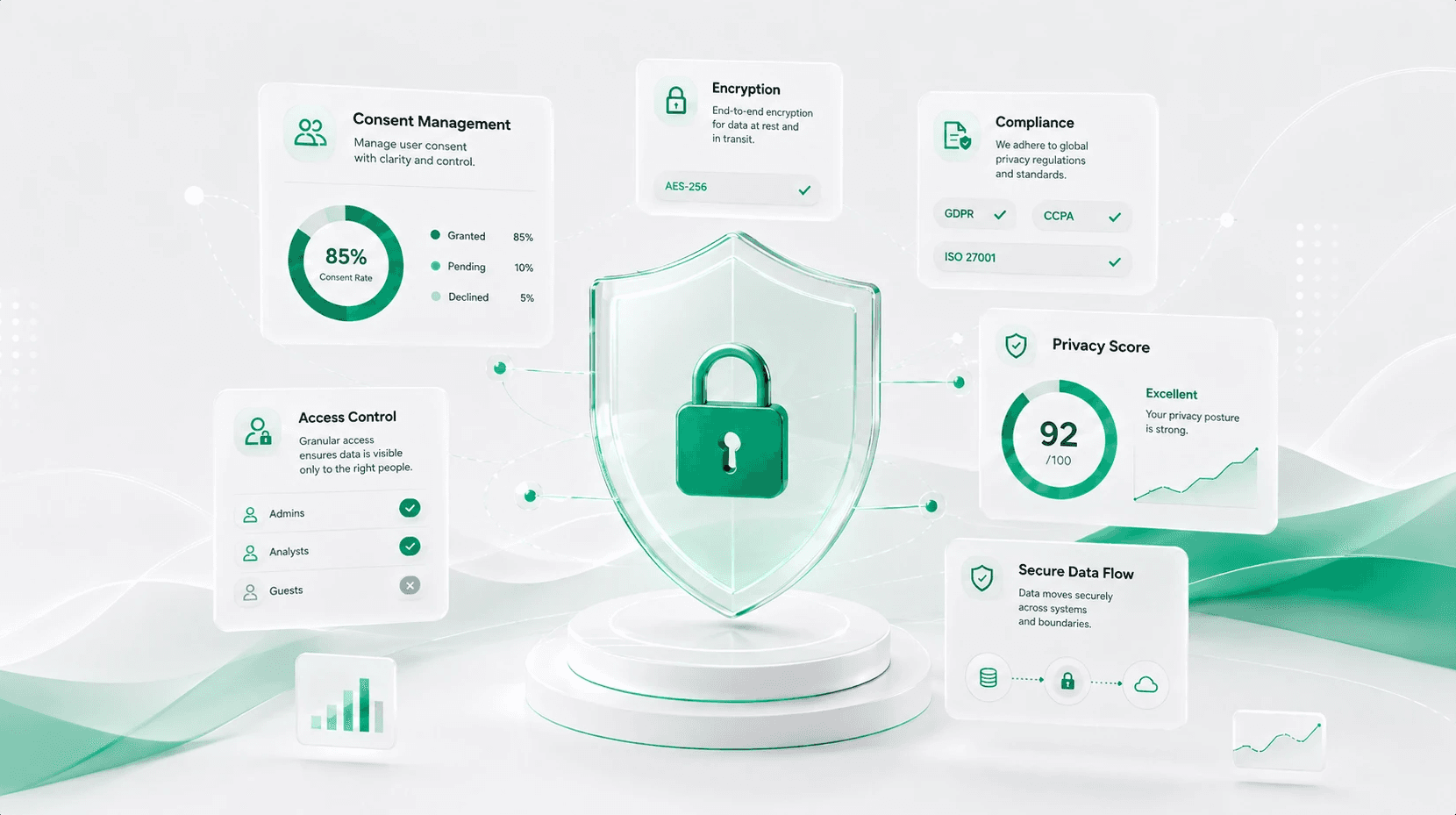
Perceptis pairs a contractual no-training commitment and processor-only handling with a SOC 2 Type II report, tenant isolation, annual third-party penetration testing, and private regional deployment.
Perceptis AI is an AI presentation generation tool built for teams that produce client-facing decks under confidentiality obligations. Its data protection rests on technical, organizational, and physical safeguards, and on a set of specific, verifiable commitments:
No training on your data. Your client material is never used to train models.
Strictly a data processor. Perceptis handles customer data only as needed to deliver the service — not for its own purposes.
SOC 2 Type II report. Security controls are independently verified over a defined period, not just at a single point in time.
Tenant isolation. Your documents reside in dedicated storage for your organization, isolated from other customers, and aren't shared with other services beyond what's required to deliver the service.
At-least-annual penetration testing. Reputable third parties test the platform at least once a year; an executive summary is available on request.
Vendor-reviewed subprocessors. The subprocessor list is published on the Perceptis trust portal, with each subprocessor re-reviewed annually under a vendor risk management program.
Private regional deployment. For data-residency requirements, Perceptis can deploy privately to specific regions such as the EU and UAE — and to other regions on request — so client data stays within the jurisdiction you choose.
In practical terms, a consultant can brief Perceptis with a confidential client situation, generate a polished, logic-led deck, and answer a client's security questionnaire with documented, independently verified answers rather than marketing claims.
How can consultants build a privacy-safe AI presentation workflow?
Pick a vetted tool, control what you put in, and document your process so it survives a client security review.
Vet the tool once, properly. Confirm the no-training policy, processor status, SOC 2 Type II report, isolation model, and pen-testing cadence before any client data goes in.
Standardize on approved tools. Shadow AI is behind roughly one in five AI-related breaches; give your team one or two sanctioned tools.
Minimize what you input. Anonymize client names and strip identifiers where the output doesn't need them.
Match the deployment to the engagement. For regulated clients or strict residency rules, use private or regional deployment (e.g., EU or UAE).
Keep your NDAs and AI policy aligned. Make sure internal AI guidelines reflect what client contracts permit, and document the tools you use.
Frequently asked questions
What is the difference between a data controller and a data processor for an AI tool? A controller decides how and why data is used and may repurpose it. A processor handles data only on your instructions and only to deliver the service. For NDAs, processor-only is the safer default. Perceptis acts strictly as a data processor.
Is SOC 2 enough? It's an important baseline but not the whole picture. Also confirm a no-training policy, tenant isolation, regular third-party pen testing, and a vendor risk program. Perceptis provides all four alongside its SOC 2 Type II report.
Is it safe to use ChatGPT, Claude, or Gemini for client presentations? Only on their paid business, team, or enterprise tiers, with model training disabled and a signed DPA in place — the free and personal versions of all three may retain and train on what you paste, and they tend to generate text and generic slides rather than a native, source-grounded deck in your template. A dedicated tool such as Perceptis AI is built for that and keeps processor-only data handling and consulting-grade output in one place.
Can I keep client data in a specific region like the EU or UAE? Yes. Perceptis AI can deploy privately to specific regions such as the EU and UAE, with other regions available on request.
Are self-hosted or open-source AI presentation tools more private than cloud tools? They give maximum data sovereignty but require engineering resources to run and maintain. A cloud tool with strong contractual and technical safeguards gives most teams comparable protection with far less overhead.
Why is it risky to use free AI tools for confidential client presentations? Many free tiers may train on your inputs, and research finds more than half of sensitive-data leaks happen on free-tier platforms. Use a tool with a contractual no-training commitment and processor-only handling instead.