No commitment. 30 minutes.
02
Storyline
Review and edit before generating
3
Market grows 12% a year, share flat at 8%

4
Weakest online, the fastest-growing channel

5
The shift to online cost €28 m

6
Three reinforcing root causes

03
Consulting-grade slides


A storyline your engagement manager would sign off on
Perceptis structures the argument before it designs a single slide. You get insight-led headlines, a logical flow and a situation, complication, resolution arc, so every deck leads with the conclusion your client needs to hear. Review and edit the storyline before a single slide is generated.

Walk any partner through any slide and defend every number
Every factual statement carries an automatic citation, drawn from your uploaded materials or reputable web sources. Sources sit at the bottom of each slide, and web sources link straight to the original page in the web app, so every figure can be checked before it reaches the client.

Native PowerPoint, in your firm’s template
Upload your PowerPoint master once and Perceptis generates directly into its fonts, colors and structure. Not a locked viewer: you get a proper .pptx you own, with charts and tables as native, editable objects. Refine it in PowerPoint and send it without restrictions.
How do consultants use Perceptis?
From the first pitch to the final readout, Perceptis covers the decks that fill a consulting engagement.

Proposals and pitch decks
Turn an RFP or client brief into a structured proposal with approach, workplan and team.

Market sizing and due diligence
Build source-backed market and competitor views your client can audit line by line.

Strategy recommendations
Frame the answer first, then the supporting logic, with action titles throughout.

Steering committee updates
Turn progress notes and data into a clear status deck for the client’s leadership.

Financial and performance analysis
Explain what moved the numbers with editable waterfalls, bars and tables.
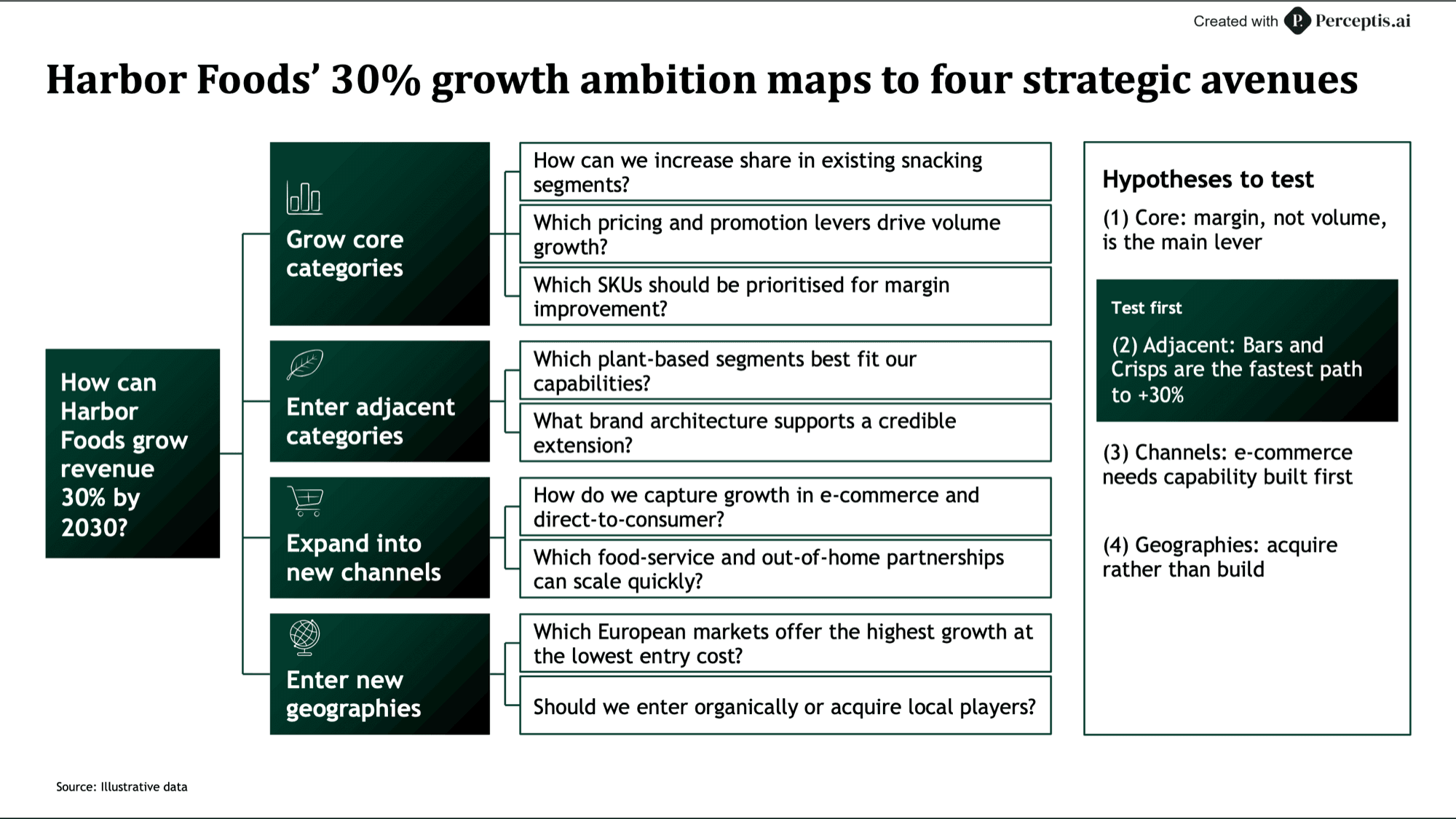
Problem structuring and workshops
Map the issue with issue trees, fishbones and 2x2s for workshop sessions.
01 / 06
Pause
Trusted by consulting and advisory firms
Used by 300+ strategy and consulting teams. Here is how they work with Perceptis.





Everything a consulting deck needs, in one platform
From the first prompt to the final .pptx, built for the way consulting teams work.
Knowledge Base
Upload past decks and research once, reuse them in every new deck.
50+ consulting layouts
A slide library of consulting-grade layouts to start from.
Native, editable charts
Mekko, Gantt, waterfall, bar, line, donut, matrix and histogram.
Consulting diagrams
Issue trees, fishbones, funnels, flowcharts and Venn diagrams.
A single slide or a full deck
One slide in seconds, or a full deck from a reviewed storyline.
PowerPoint add-in
Create slides without leaving PowerPoint.
Team collaboration
Share decks with colleagues to view or edit.
Enterprise-grade security
SOC 2 Type II, tenant isolation, and no training on your data.
For enterprise teams
Available on the Enterprise plan.
Quality control
Submit your brief and receive a polished document in 24 hours: AI generation plus human quality control by ex-consultants.
Sovereign Deployment
Generate on dedicated infrastructure within your perimeter. Private endpoint, dedicated GPUs or on-premise.
Frequently asked questions
Can Perceptis AI use my firm’s PowerPoint template?
Yes. Perceptis AI generates a native .pptx directly into your firm’s master template. You can also use the platform’s built-in consulting-grade templates.
How does Perceptis AI make sure the numbers in my deck are accurate?
Are the charts editable in PowerPoint?
Is client data safe with Perceptis AI?
How much does Perceptis AI cost?
No commitment. 30 minutes.


